Step 3 – Choose Your Checkout Logic
Written By Floris de Vries
Last updated 8 months ago
Before continuing the setup, you must choose how VAT exemption should be processed in your store.
The app supports two mutually exclusive checkout modes:
Standard Checkout Logic
Draft Order Logic
Choosing the wrong option will result in:
VAT not being removed
Prices not recalculating
Unexpected checkout behavior
Where to configure this setting
You can select the checkout logic in the app settings:
Shopify admin → Apps → OO – EU Tax Exemption → General Settings
There you will find the setting:
Use draft order logic
Disabled → Standard Checkout Logic
Enabled → Draft Order Logic
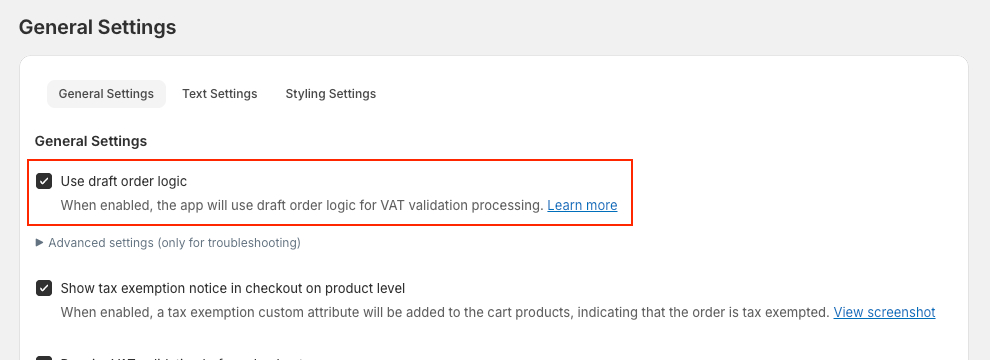
Changes take effect immediately.
Quick decision guide
Use this table to choose the correct logic for your store:
Critical rule (cannot be overridden)
⚠️ VAT-exclusive pricing
If your store sells prices excluding VAT,
Standard Checkout Logic is the only supported option.Draft Order Logic is not compatible with VAT-exclusive pricing.
Where to configure this setting
Go to:
Apps → OO – EU Tax Exemption → General Settings
Here you can enable or disable:
Use draft order logic
Changing this setting immediately changes how checkout works.
What happens after this choice
If you choose Standard Checkout Logic
Shopify’s standard checkout is used
VAT is calculated dynamically during checkout
Best for VAT-exclusive pricing and simple setups
👉 Read more: Standard Checkout Logic
If you choose Draft Order Logic
A Draft Order is created after VAT validation
Checkout redirects to a draft order invoice
Best for VAT-inclusive pricing and complex B2B setups
👉 Read more: Draft Order Logic
Continue setup
Once you have selected the correct checkout logic:
➡️ Continue with Step 4 – Configure Shopify Tax & Market Settings