Step 5 – Add the Customer admin app block
Written By Floris de Vries
Last updated 7 months ago
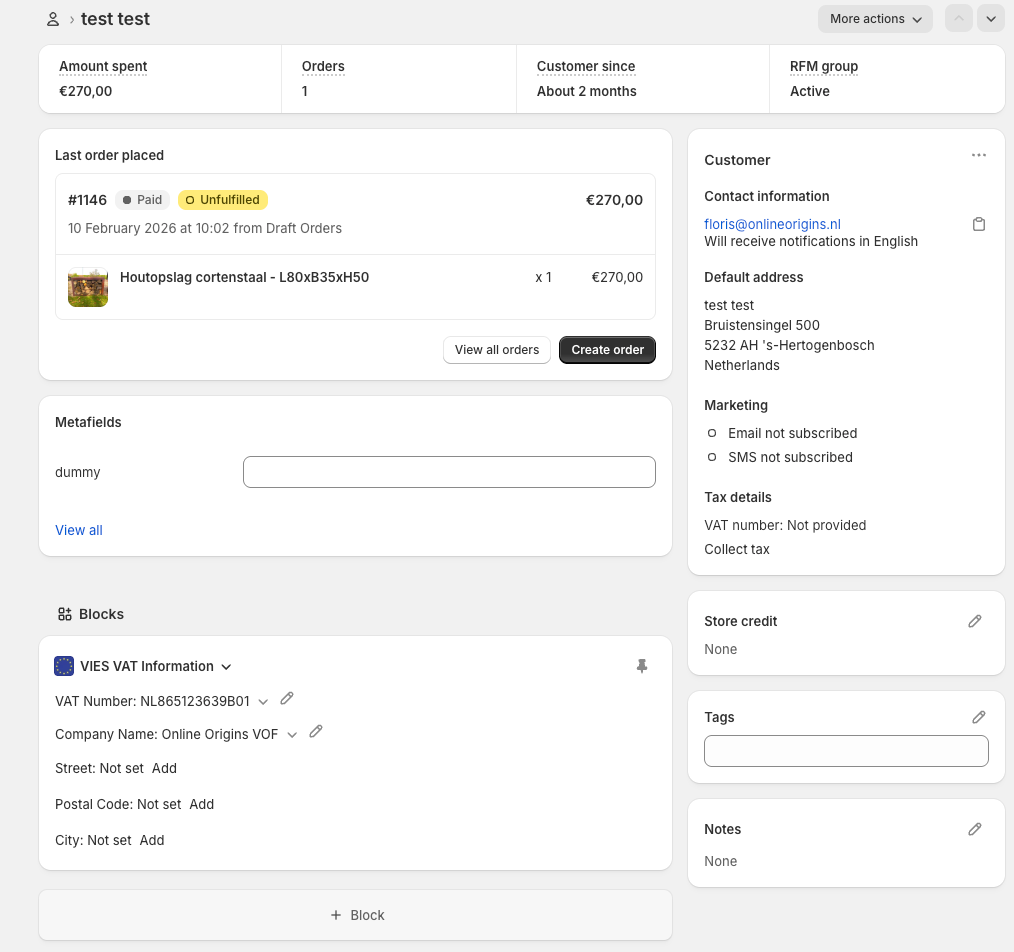
Our app includes a Customer admin app block that displays additional customer-related information inside the Shopify admin.
To add this block:
Go to Shopify Admin
Open Customers
Select any customer
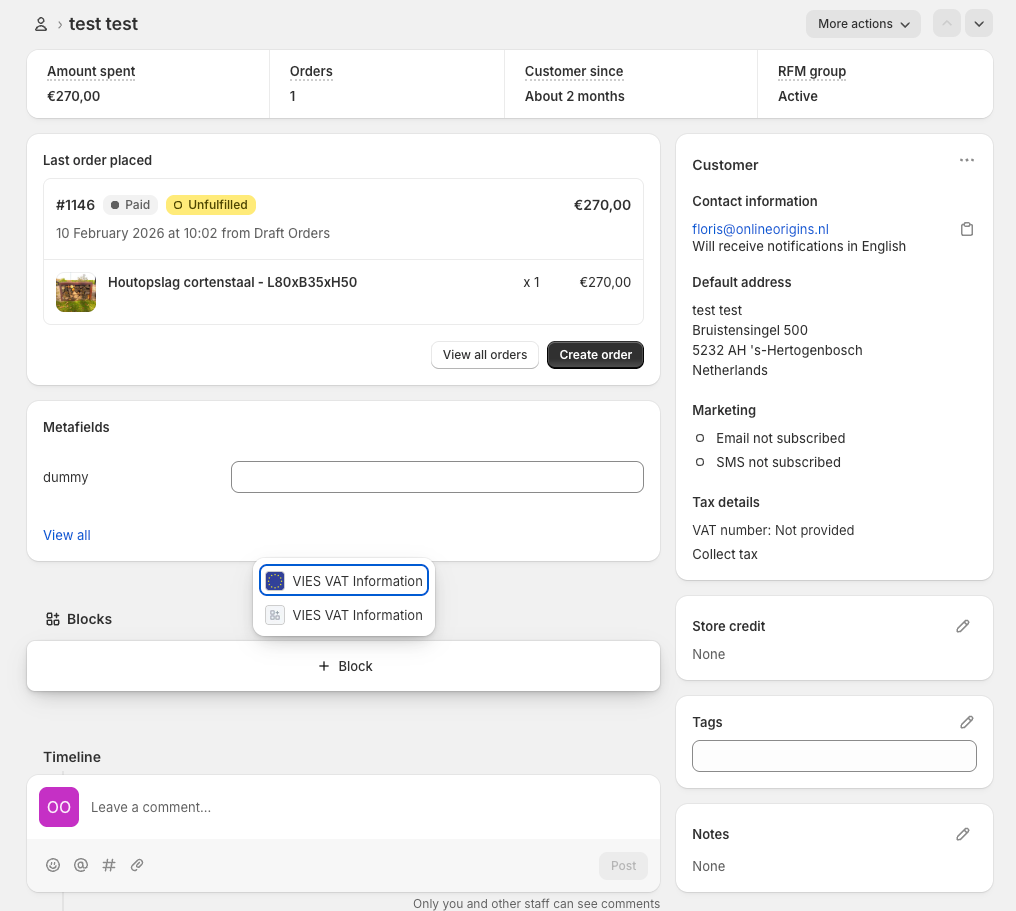
Click + block
Add the VIES VAT Information block
Save your changes
Once added, the block will be visible for all customers and allows you to view and edit app data, which can also be used for invoices.